
 Login
Login

A safe start to check everything in advance!
Offline Practice Before Your First LIVE Broadcast
Before you go live for the first time, you can practice with a Password Show first. This way you can discover how broadcasting works in peace and quiet — without direct viewers in your room.
Tip: Use this as your “dress rehearsal” to reduce stress and go live with confidence.What is a Password Show?
A Password Show is a private broadcast that is only accessible to people with the password you set. You can just keep this password to yourself so you can practice completely privately.
Practice: What Are You Going to Test?
1) Explore the Buttons
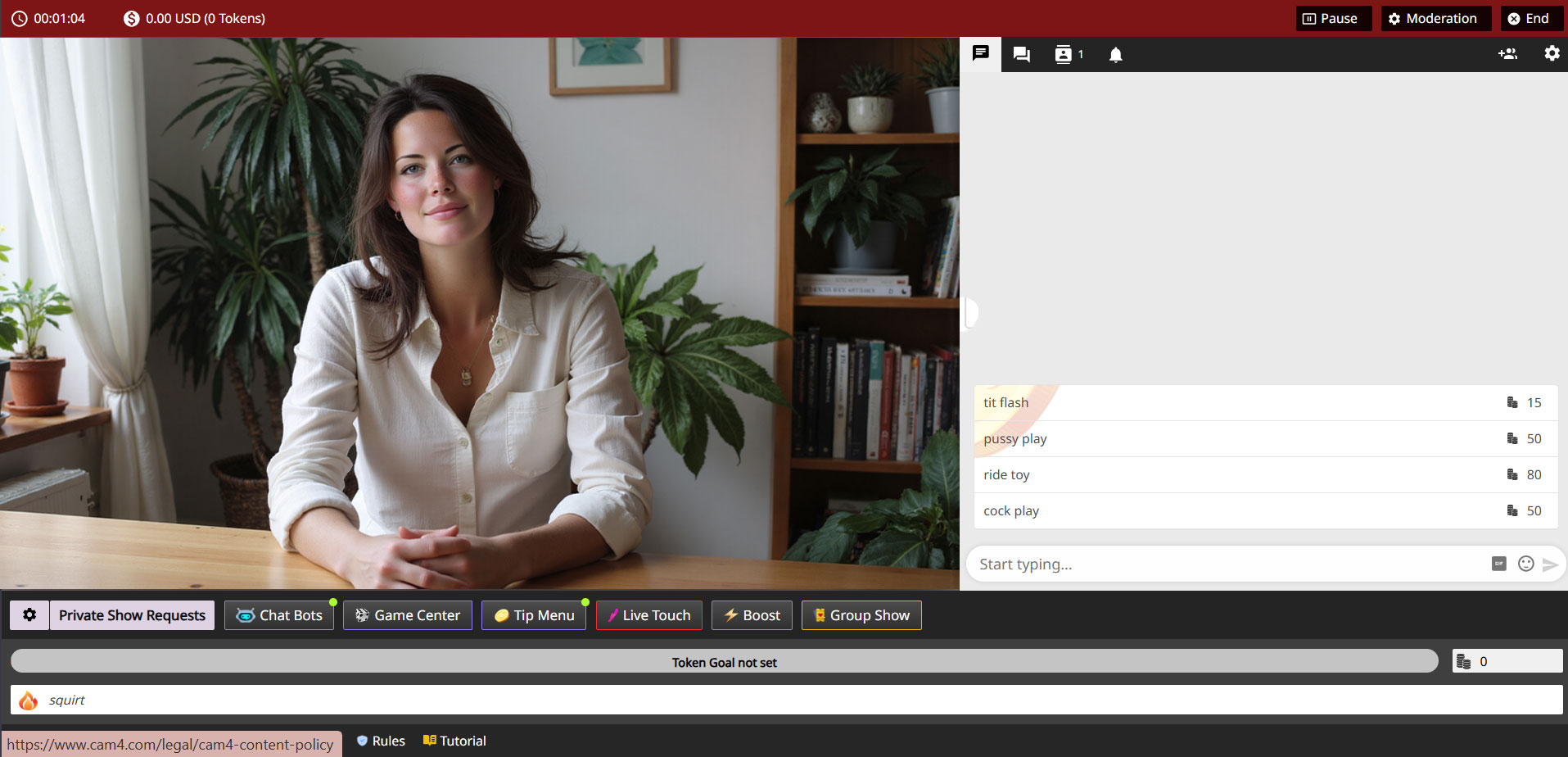
See how your camera appears, where you set your goals, and how to make the Tip Menu visible.
2) Test Your Setup
Check your light, sound, background, and camera position without pressure from viewers.
3) Practice Your Flow
Go through how you want to build a show: from greeting to working with goals and menus.
Make it a practice show — use micro-goals as if you were live. This way you learn what goals look like on screen.
- Goal 1: 10 tokens = check what the goal looks like
- Goal 2: 20 tokens = test sound and music
- Goal 3: 30 tokens = change camera position
Pro tip: write down notes during your Password Show — what works well, what do you want to adjust?
Why This is Smart
A Password Show gives you:
- Peace to learn the platform technically
- Confidence before going live for a large audience
- Less chance of stress or technical glitches during your first real show
Setting Up a Password Show
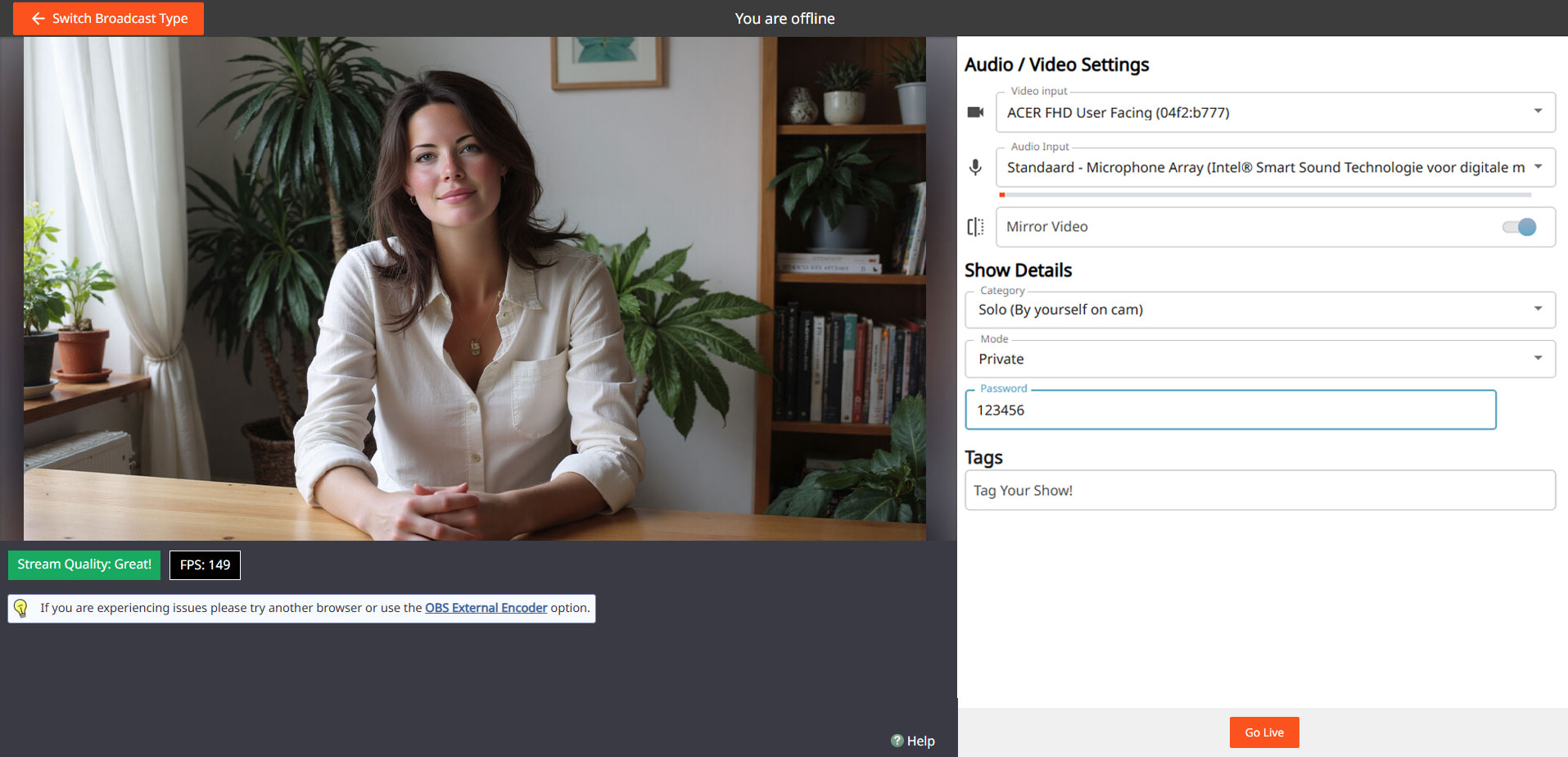
Go to your broadcast screen, choose “Show Type” and select Password Show. Set a password and keep it only for yourself if you just want to practice.
Steps:
Open Broadcast Screen
Choose ‘Password Show’
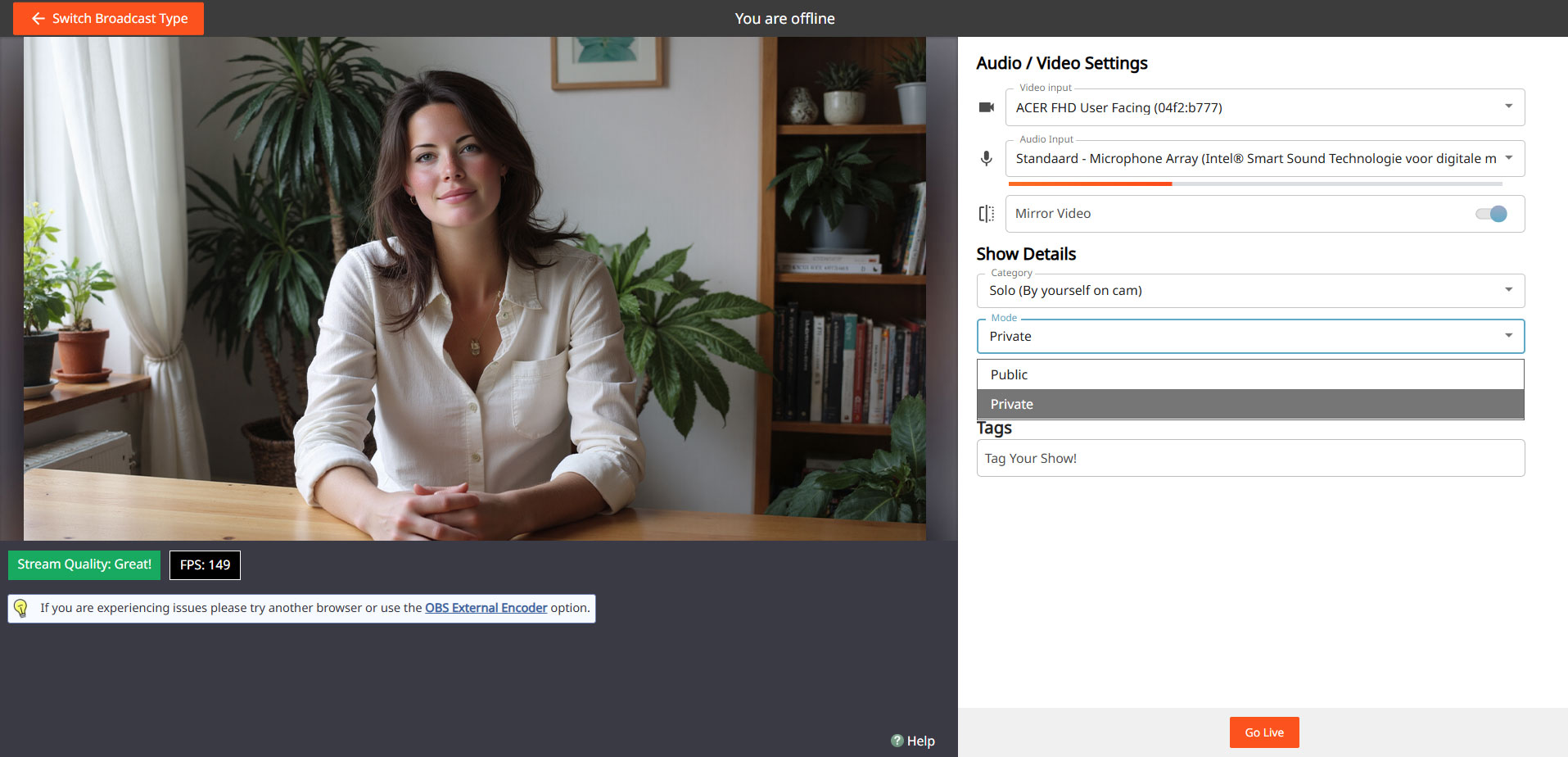
Set Password
Go Live & Test
You can use the same process later to do a private show with a select group of fans.
Do’s
- Use the Password Show as your practice space
- Test both camera and sound extensively
- See how goals and tips appear on screen
- Feel free to practice multiple times before you go “really” live
Pay Attention
- Don't forget to set your settings back to a regular broadcast after your Password Show
- Don't just pass on your password if you really want to practice privately
- Always stay within your own boundaries and platform rules — even in a Password Show
Important: adhere to local laws and platform rules. Only 18+ performers and consent is always required.


